
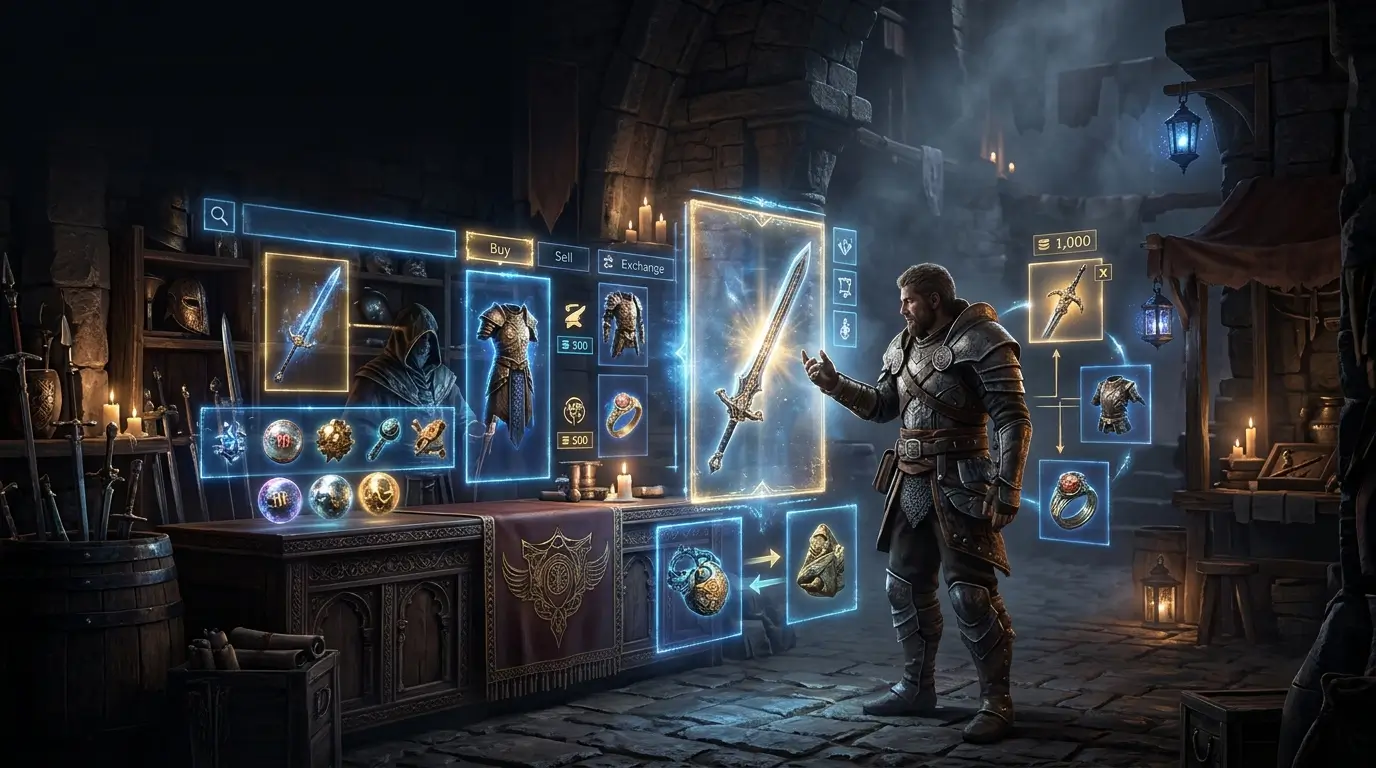
Path of Exile 2 trade runs on three systems: the official trading portal, the Currency Exchange for stackable currency, and player to player direct exchanges. The official Path of Exile 2 trade website is at pathofexile.com/trade2, however you may also get to the same market from within the game.
Here is the brief version for new visitors. The trading site can be used to find gear and uniques, the Currency Exchange to switch currency in bulk and a Merchant’s Tab to sell stuff without having to stay online. The next parts will describe each one with easy steps.
What Is the Path of Exile 2 Trade Site?
The Path of Exile 2 trade site is the official marketplace run by Grinding Gear Games. It is a section of the main Path of Exile website, not a separate domain, and it uses the same account you already play with.
You can search for items by type, stats, price and seller, then contact the seller or travel to their hideout, depending on how the item was listed. The same market is available in game, so you do not have to alt-tab. Open it with the in-game market hotkey (many guides list the forward slash key, but you can check or change it in your options).
A quick note on names: “poe2trade” is just what many players type into search. It is not an official address.
To use the site, you need a Path of Exile account linked to the platform where you bought the game.
The Three Ways to Trade in PoE 2
| Method | Best for | How it works |
|---|---|---|
| Trade site and in-game market | Gear, uniques, gems and anything that is not simple currency | Search listings, then buy through the seller’s Merchant’s Tab or contact the seller |
| Currency Exchange | Stackable currency, crafting materials and similar items | Post or fill buy and sell orders in the exchange, even when the other player is offline |
| Direct player trade | Deals with friends, bulk or special deals | Meet in a hub or hideout and trade in the trade window |
Since patch 0.3.0 (The Third Edict, August 29, 2025), PoE 2 has had asynchronous trading. That means a seller can list items in a Merchant’s Tab and a buyer can purchase them without both people being online at the same time. If you want the history behind that change, our PoE 2 patch notes guide covers the 0.3 update.
Players on Solo Self-Found cannot trade, so none of this applies to them.
How to Buy Items on the Trade Site
- Open the trade site at pathofexile.com/trade2, or open the market panel in game, and log in.
- Choose your league and pick an item type or search by name.
- Add filters. Use minimum values for the stats you really need. A search with the right filters turns a long messy list into a short buyable one.
- Sort by price and look at several listings, not just the cheapest. A very low price often means a trap or a misread stat.
- Use the listing’s button. For items in a Merchant’s Tab, you travel to the seller’s hideout and buy the item there, paying the listed price plus any gold fee. For other listings, the site gives you a whisper message to paste into chat.
- Check the item before you pay. Hover over it and confirm the name, modifiers and quality match the listing.
If a trade needs the trade window, both players must hover over the items in the offer before the Accept button works. Do not rush that step.
How to Sell Items
The easiest way to sell is with a Merchant’s Tab:
- Get a Merchant’s Tab (it comes from the in-game shop).
- Place the item in the tab and set a price for each one.
- Pay the small gold fee, and the item goes live on the trade site.
- When someone buys it, you get the payment without needing to be online.
Pricing every item one by one is more work than bulk selling, but it saves you from sitting in your hideout waiting for whispers.
Check the current rules in game before you list anything expensive, since fees and tab behavior can change between patches.
How to Use the Currency Exchange
The Currency Exchange works like a market for stackable items. You pick the item you want to buy and the item you want to pay with, set an amount and a ratio, and the system matches you with other players. You open it from a vendor in your town hub, and it unlocks as you progress through the game.
A few tips:
- Gold is part of the cost. The exchange charges a gold fee, so check it before you place big orders.
- Ratios can look odd. The market often shows ratios with decimals, so read them carefully.
- It works while you are offline. That is the main reason to use it for currency instead of whispering strangers.
- Gear goes elsewhere. The exchange is for stackable items. Use the trade site for gear and uniques.
If you want to flip currency, start small. Watch a few ratios for a day, note the spread between buying and selling, and only then scale up.
How to Price Items Fairly
Whether you are buying or selling, the price should come from data, not guessing.
- Check the trade site. Search for the same item and read at least 5 to 10 listings. Look at the lowest few, not only the lowest one.
- Use Poe Ninja as a quick check. Poe Ninja’s economy pages show average prices for currency and many items, which helps you spot a bad deal fast. Our guide to the Poe Ninja economy explains how to read the charts and avoid thin, misleading listings.
- Confirm with live listings. Averages are guides, not guaranteed sale prices.
- Adjust after a patch. Buffs and drop changes move prices quickly, so recheck after each update.
Trading Safely
- Only use the official site. The address should be pathofexile.com/trade2. Do not click links from strangers in chat.
- Never share your password or login details. No real trade needs them.
- Check every item before you accept, even when the seller is friendly.
- Be careful with price changes. If a seller changes the price after you message them, walk away or check the listing again.
- Think before using third-party tools. Many players use overlays and browser add-ons, but anything that automates actions in the game or on the site may break the rules. Check Grinding Gear Games’ policy before you install one.
If you are new to trading in general, our guide on how to trade in PoE covers the basics that carry over from the first game, and it is worth reading alongside this one.
Common Mistakes
- Buying the first cheap listing without checking the stats.
- Forgetting the gold fee on big currency orders.
- Listing without a price check and underselling a good item.
- Using a link or tool that is not official.
- Expecting the same prices after a patch. Our post on whether PoE trade is slowing down explains why activity changes.
Before you buy expensive gear, test it in Path of Building. Our walkthrough on copying an item from PoE trade into PoB shows how.
FAQ
What is the Path of Exile 2 trade site? It is the official marketplace for PoE 2, found at pathofexile.com/trade2. You can search for items by stats and price and buy or contact sellers from there, or from the market panel inside the game.
Is poe2trade the official trade website? No. “poe2trade” is a common search term, not an official address. The official PoE 2 trade website is pathofexile.com/trade2.
How do I sell items in Path of Exile 2? Put items in a Merchant’s Tab, set a price for each one and pay the gold fee. They then appear on the trade site, and buyers can purchase them even when you are offline.
What is the Currency Exchange in PoE 2? It is an in-game market for stackable items like currency. You set an order and a ratio, and the system matches you with other players. It costs gold and works while you are offline.
Can I trade in Solo Self-Found? No. Solo Self-Found players cannot trade with others.
Is trading free in PoE 2? Browsing and searching are free, but selling uses a Merchant’s Tab, and buying and selling through the market involve gold fees.

Hello! My name is Jennifer Allaway. I’m a narrative designer and writer living in the greater Seattle area of Washington! I broke into the game industry with landmark research on the prevalence of sexism in the game industry and it’s impact on game content. When I finally made the leap into development, I completed contract work on several successful indie games, including IGF Narrative nominee Unavowed, 2064: Read Only Memories and Shardlight